Metadata lab
Test your title, subtitle and keyword field before you publish
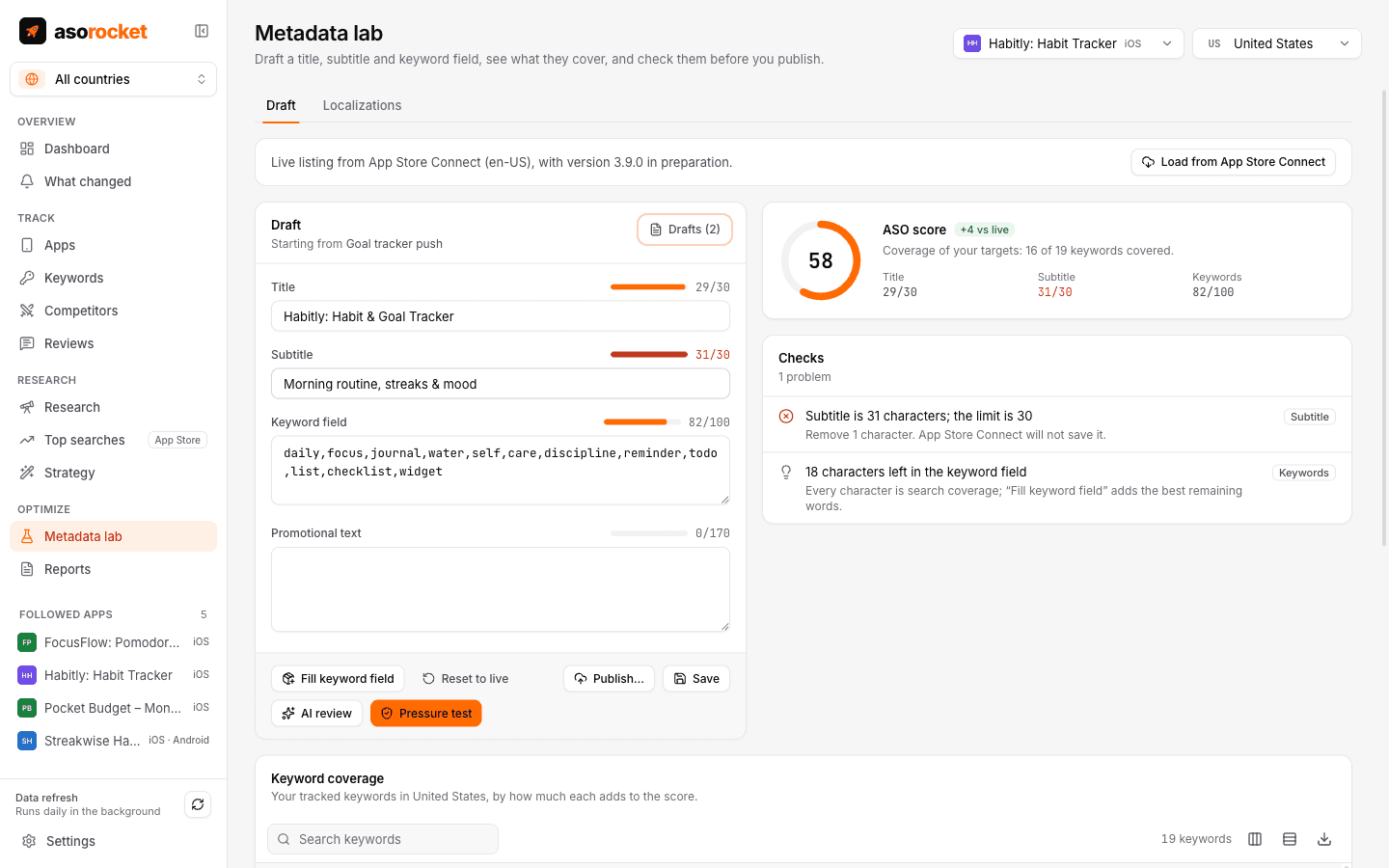
Type a draft and watch the score change with every keystroke. The pressure test catches what App Review rejects and what quietly costs you rankings, including keywords you rank for today that the draft would stop covering.
What you get
A score that updates as you type
How much of your tracked keywords’ search demand the title, subtitle and keyword field cover, weighted by popularity and by how reachable each keyword is for your app.
Compared with your live listing
Every draft is scored against what is live now, so you know whether a change helps before you submit it.
Fill keyword field
Packs the most valuable missing words into the 100 characters, without repeating words already in your title and subtitle.
Pressure test
Limits, wasted characters, repeated and filler words, plural duplicates, prices, claims like “best” or “#1”, emoji and competitors’ brand names.
Ranking-loss warnings
Flags keywords you rank for in the top 50 today whose words a draft would drop, before you lose them.
Google Play listings too
For a Google Play app the lab drafts the title (30 characters), short description (80) and description (4,000), scores all three, and checks them by Google Play’s rules: claims, prices, emoji and capitals, competitors’ brands, a thin description, and a word repeated until it reads as stuffing.
Publish when it’s ready
Load your live and in-preparation listing from App Store Connect, then publish a checked draft into the version you’re preparing, and plan the other localizations your storefronts index. Google Play drafts go to Google Play Console.
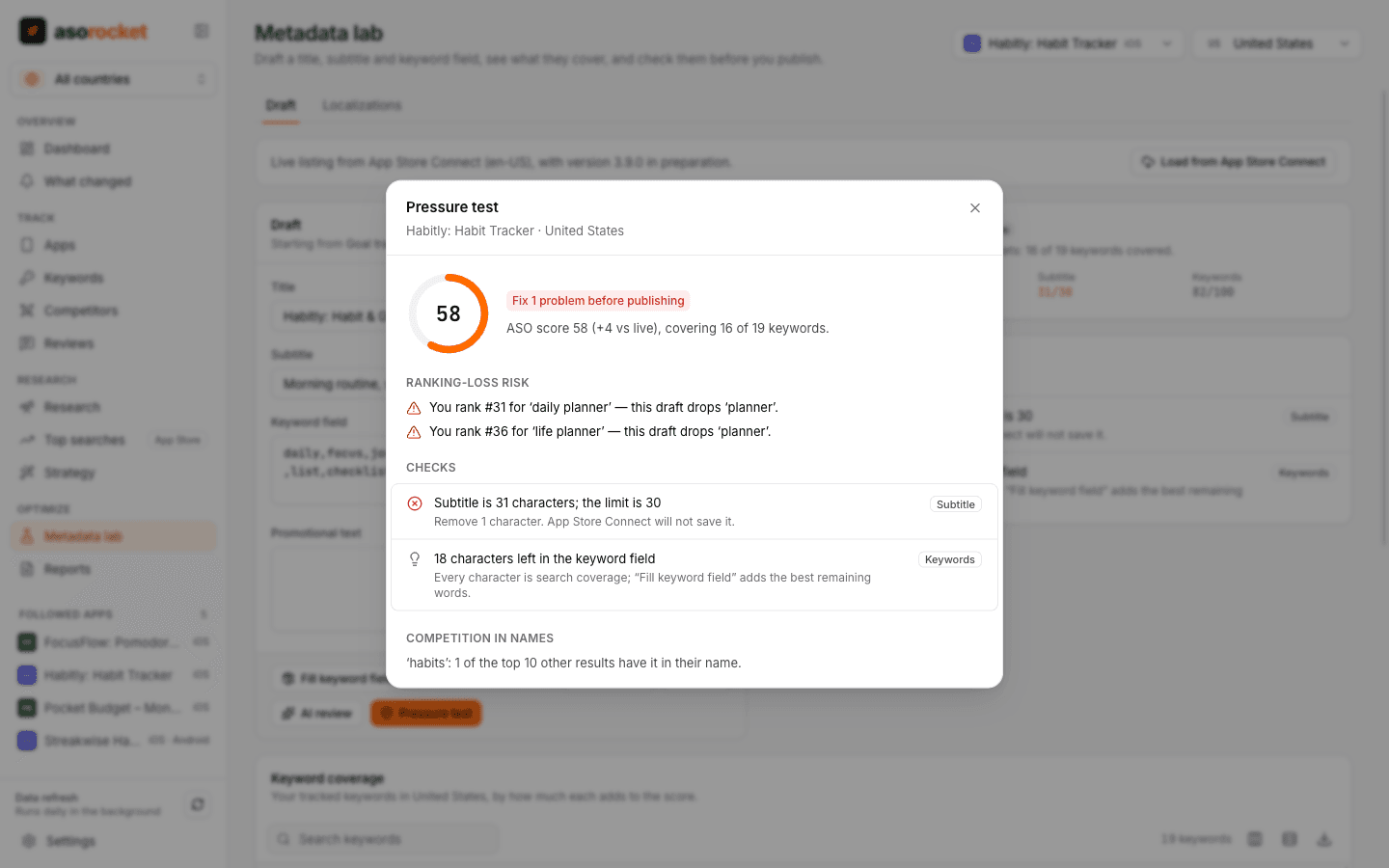
The pressure test lists what passes, what to fix, and which rankings a draft puts at risk.
Good to know
Not a rank prediction
Neither store’s ranking algorithm is public. The score measures coverage of your target keywords, which is the part of ASO you control in the indexed fields.
Different fields, different rules
Google Play has no hidden keyword field and reads the description for search, so its words count where the keyword field does on the App Store, at a lower weight. Fill keyword field and the localization planner are for App Store apps. The checks’ thresholds for Google Play are asorocket’s judgement, not figures Google publishes.
The apps you can edit
With App Store Connect or Google Play Console connected, the lab lists the apps in that store your account can edit. For a store without a connection it lists every app you follow there.
Related guides
Metadata · 2 min read
How to use the App Store keyword field
Formatting, word choice and the common mistakes that waste the 100 hidden characters Apple gives you.
Metadata · 2 min read
App Store title and subtitle: limits and how to write them
Thirty characters each. How to fit a brand, a keyword and a reason to download.
Google Play · 2 min read
Google Play title, short description and description: limits and how to write them
Three fields, all of them read for search. Their limits, what Google’s policy forbids, and where your keywords belong.
Metadata · 2 min read
ASO checklist: what to check before you submit an App Store update
Twenty quick checks for your name, subtitle, keyword field and screenshots before you press Submit.
More features
All featuresKeyword rank tracking
Daily positions for every keyword in the App Store’s top 200 and Google Play’s top 30, with changes and history.
Learn moreKeyword research
Score a term, see who ranks, and check up to 1,000 keywords in one background run.
Learn morePublish to App Store Connect
Push a checked draft into the version you’re preparing, after a careful review screen.
Learn moreLocalization planner
Find the empty keyword fields in the extra languages each storefront indexes, and fill them.
Learn moreStart with your own app, today
Download asorocket, pick your markets and find your app. You will be tracking your first keywords in about two minutes.
macOS · Windows · Linux