What changed
See what moved, and what happened around it
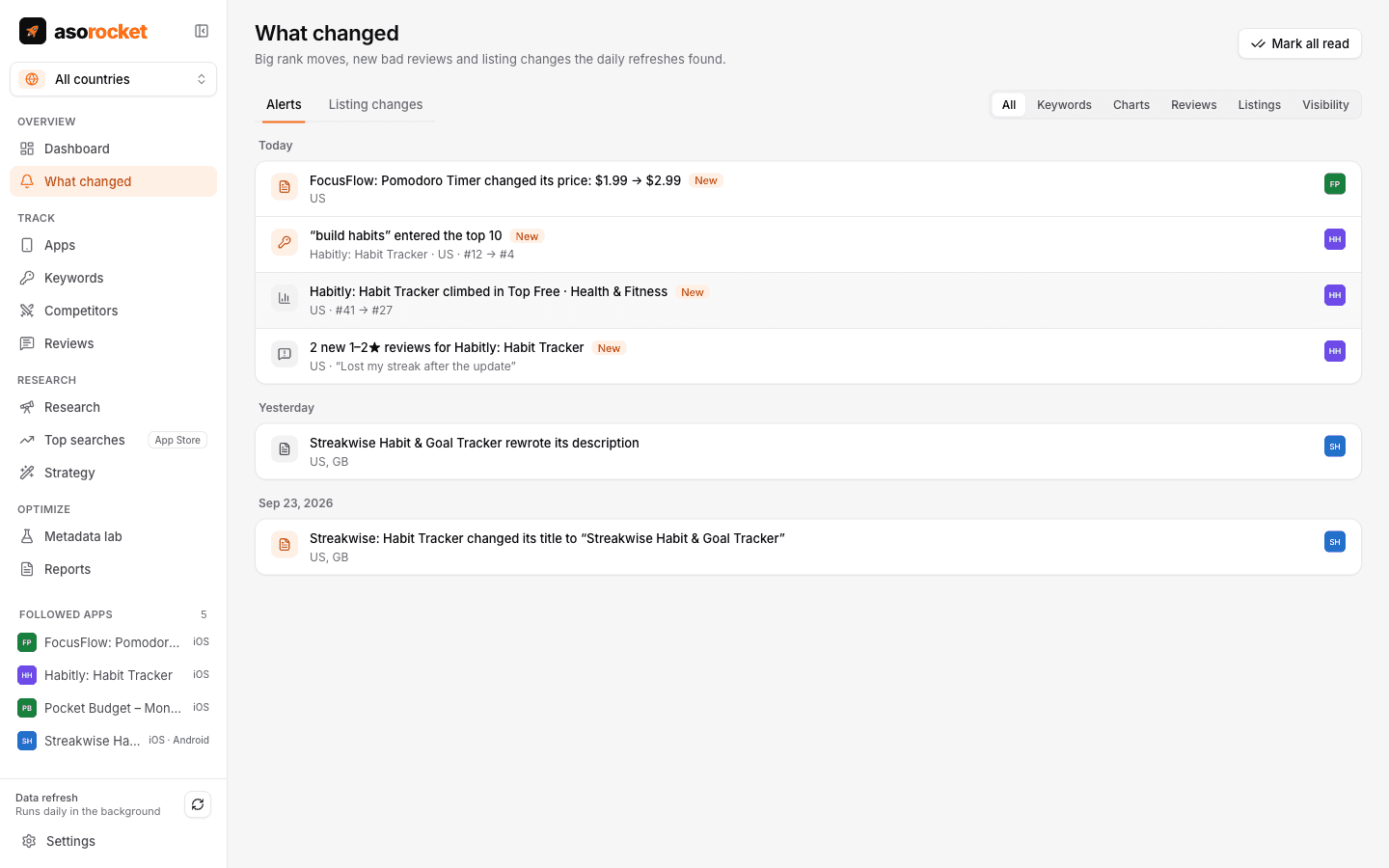
After every refresh, asorocket compares today with the last check and lists what deserves a look: keywords entering or leaving the top 10, chart moves, new 1–2★ reviews and competitors changing their listing. Every release is marked on your charts, with the week before and after side by side.
What you get
Alerts after every refresh
Keywords entering or leaving the top 10 or moving a lot, chart moves, new 1–2★ reviews of your apps, and swings in search visibility. A count in the sidebar shows what’s new.
One notification a day
After the daily refresh, a single desktop notification sums up what changed, instead of a stream of pings.
Sent where your team is
Send alerts to Slack, Microsoft Teams, Discord or a webhook, and put them in a scheduled client report.
Competitors’ listing timeline
Title, version and release notes, price, category, description with a word-by-word diff, and screenshots, as each refresh first saw them change.
Search visibility
One 0–100 score per app and country from your tracked keywords, weighted by popularity and scored by rank. Competitors are scored on the same keywords, so the lines compare directly.
Release markers
Versions and listing changes are marked on the rank, rating, visibility and download charts.
Before and after
Visibility, average rank, keywords in the top 10, category rank and new ratings, plus downloads and conversion from App Store Connect or Google Play Console for your own apps. For a competitor, its ranks on your keywords.
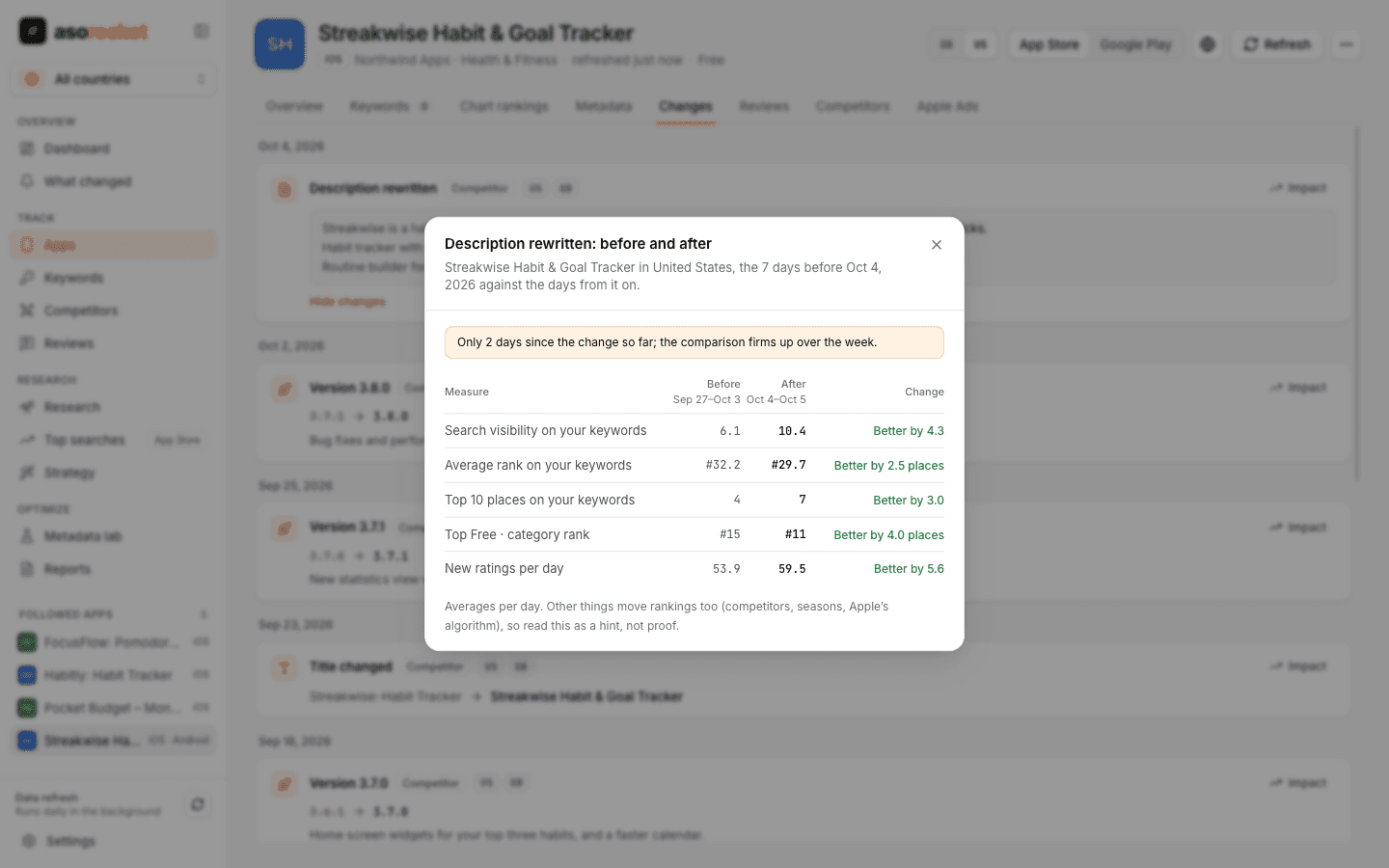
Impact compares the week before a change with the days after it.
Good to know
Around a change, not because of it
Rankings move for many reasons at once. Impact shows what changed in the days around a release, which is a strong hint, not proof of cause.
Both stores
Alerts, search visibility and impact cover Google Play apps too, at Google Play’s depth: a keyword there “drops out of the top 30”. Downloads and conversion in impact come from App Store Connect for your App Store apps and from Play Console’s statistics for your Google Play apps.
Related guides
Measurement · 2 min read
How to track App Store keyword rankings
Why searching on your own iPhone misleads you, and how to track ranks daily, per country, against competitors.
Keywords · 2 min read
How to analyze competitors on the App Store
Find the apps you really compete with, then compare keywords, metadata, ratings and reviews to find gaps.
More features
All featuresKeyword rank tracking
Daily positions for every keyword in the App Store’s top 200 and Google Play’s top 30, with changes and history.
Learn moreKeyword research
Score a term, see who ranks, and check up to 1,000 keywords in one background run.
Learn moreMetadata lab
A live ASO score as you type, an automatic keyword field, and a pressure test before you ship.
Learn morePublish to App Store Connect
Push a checked draft into the version you’re preparing, after a careful review screen.
Learn moreStart with your own app, today
Download asorocket, pick your markets and find your app. You will be tracking your first keywords in about two minutes.
macOS · Windows · Linux